
Nissan Qashqai 2026 Owners Manual
7.34.2. How to enable/disable the Driver Monitoring system
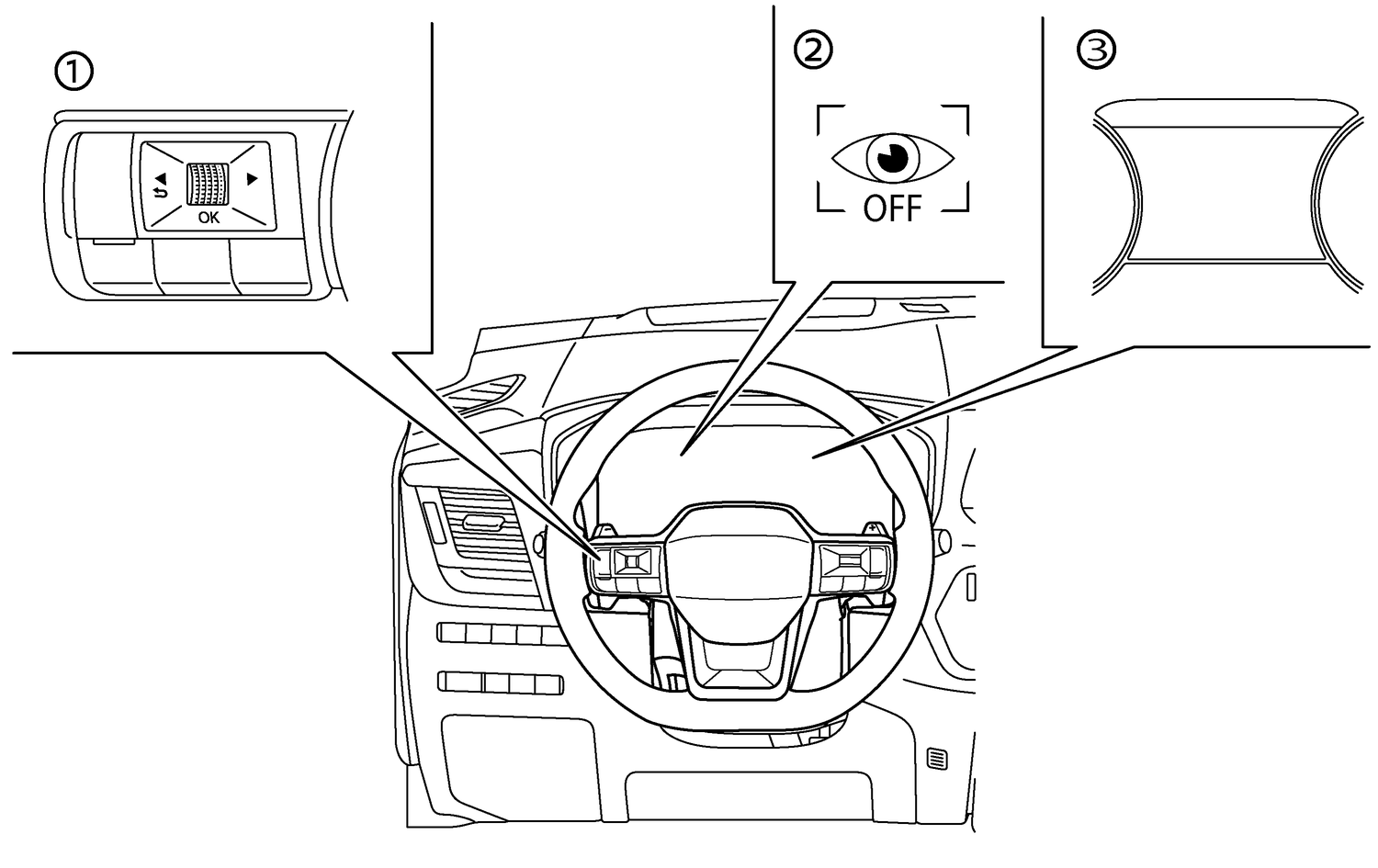
- (1)Steering-wheel-mounted controls (left side)
- (2)Driver Monitoring OFF indicator (in the vehicle information display)
- (3)Vehicle information display
Perform the following steps to enable or disable the Driver Monitoring system:
Push the

 button until [Settings] appears in the vehicle information display and then push the scroll dial. Use the scroll dial to select [Driver Assistance]. Then push the scroll dial.
Select [Driver Monitoring] and push the scroll dial to choose OFF, Standard or Advanced.
OFF: All features deactivated.
Standard: Detect distraction.
Advanced: Detect distraction, sleep, microsleep and drowsiness.
When the Driver Monitoring system is turned off, the Driver Monitoring OFF indicator illuminates.

The Driver Monitoring system will automatically switch to Advanced when the engine is restarted.
Owners Manual