
Nissan Juke 2026 Owners Manual
7.36.2. How to enable/disable the Traffic Sign Assist (TSA) system
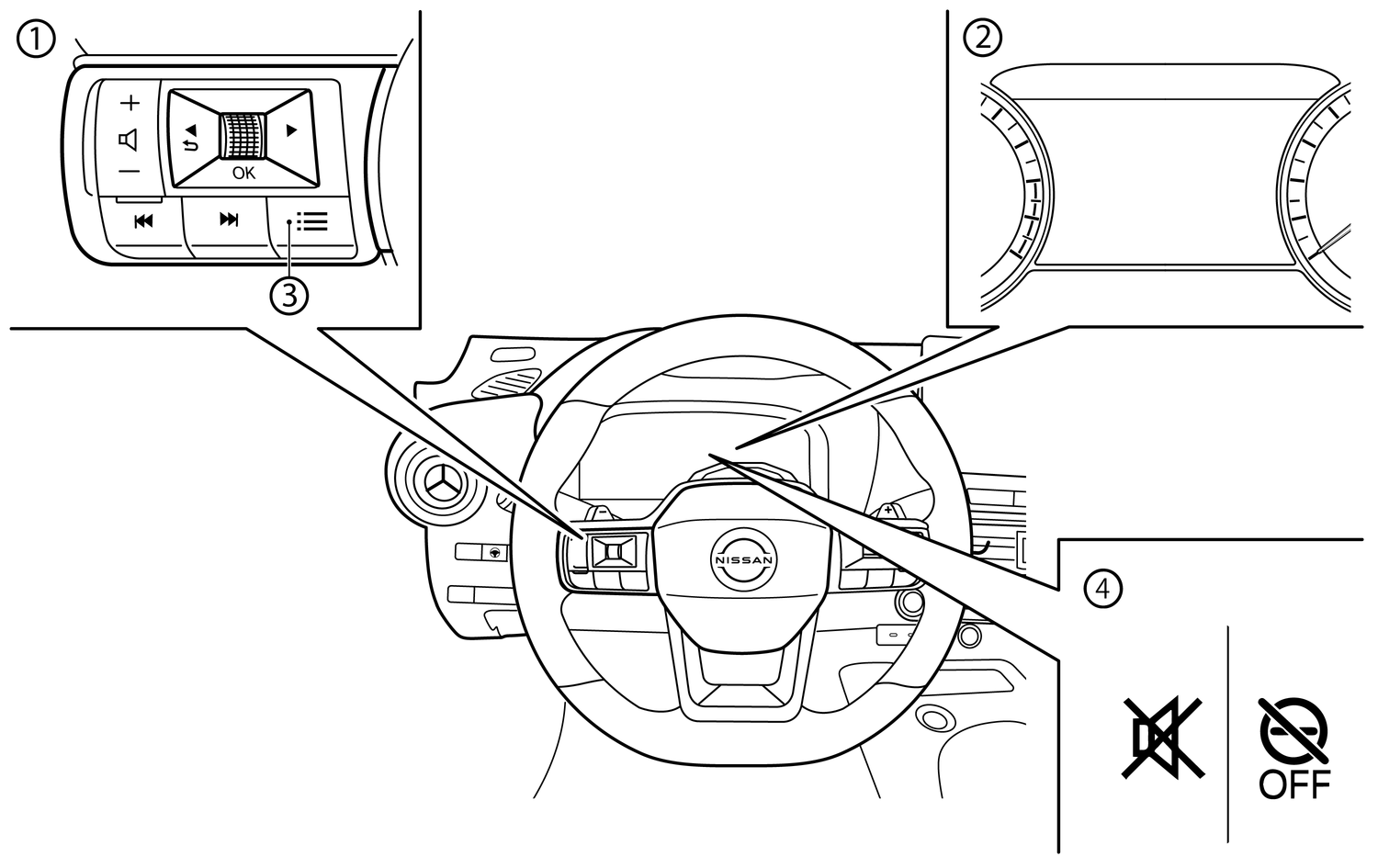
- (1)Steering-wheel mounted controls (left side)
- (2)Vehicle Information Display
- (3)Shortcut button
- (4)TSA indicators
Perform either of the following steps to enable or disable the TSA system, or customize the settings:
Shortcut Menu
Push the shortcut button (3) on the steering wheel to display [Shortcut Menu].
Select [Driver Assist Custom] and push the scroll dial to enable the system settings.
Select [Custom Mode Setup] and push the scroll dial to customize the settings.
[Speed Limit]
[Warning]: both the speed limit display and overspeed warning function (display and chime) are enabled.
[Info Only]: only the speed limit display is enabled (overspeed alarm sound and flashing display are disabled).
[OFF]: the Traffic Sign Assist (TSA) is disabled.
[New Limit Alert]
Notification (chime) when the speed limit changes is enabled or disabled.
Settings
When [Driver Assist Custom] setting is ON, Traffic Sign Assist cannot be adjusted through the [Settings] menu. To adjust Traffic Sign Assist setting when [Driver Assist Custom] is ON, go to the [Custom Mode Setup] menu in the [Shortcut Menu].
Push the '
 ' and '
 ' button until [Settings] appears in the Vehicle Information Display and then push the scroll dial. Use the scroll dial to select [Driver Assistance]. Then push the scroll dial.
Select [Traffic Sign Assist]. Then push the scroll dial.
The following items are available:
[Speed Limit]
The Traffic Sign Assist (TSA) can be customized or turned off.
[Warning]: both the speed limit display and overspeed warning function (display and chime) are enabled.
[Info Only]: only the speed limit display is enabled (overspeed alarm sound and flashing display are disabled).
[OFF]: the Traffic Sign Assist System (TSA) is disabled.
[New Limit Alert]
Notification (chime) when the speed limit changes is enabled or disabled.
[Database Version]
The version of the map data can be confirmed.
[Update by USB]
This is used to update the map data. (See
.)[License Information]
The map license information can be confirmed.
[License Expiration]: The expiry date of the map license.
[License State]: The state (active/inactive) of the current map license.
When the overspeed warning function is disabled, the  mark is shown in the vehicle information display. (The indicator will turn off after a period of time.)
When both the speed limit display and overspeed warning function are disabled, the  mark is shown in the Vehicle Information Display.
When the ignition switch is placed in the ON position, the indicator (white) illuminates. After starting the engine system the indicator turns off. This indicates that the TSR system is operational.