
Nissan Juke 2026 Owners Manual
7.26.1.1. Using the [Settings] menu
The settings of the parking sensor system can be changed.
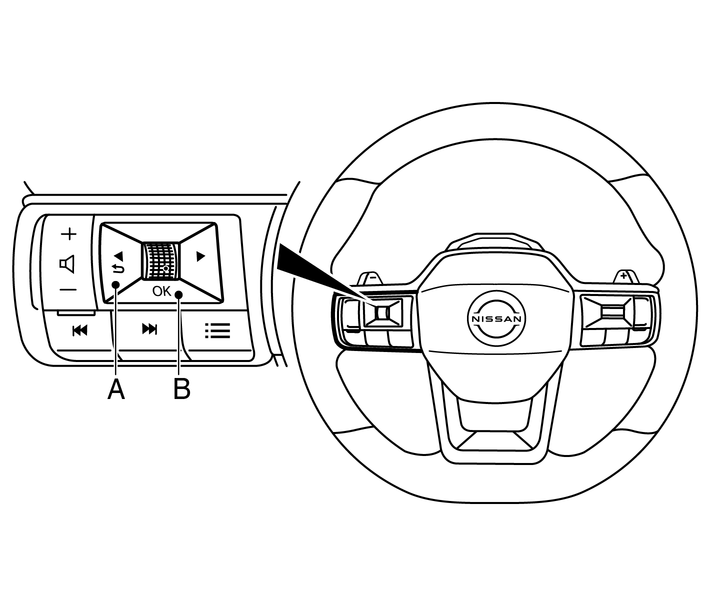
At ignition ON when the [Settings] menu is shown in the display, select
[Driver Assistance] → [Parking Aids]
or when the parking sensor screen is displayed, push the scroll dial (B) on the steering wheel. Press the BACK switch (A) to return to the previous item.
The [Settings] menu is shown.
Set the following items on or off by selecting (highlighted) and push the scroll dial (B) on the steering wheel. When selected, a green marker is shown.
[Front] *:
Switch the front sensors on or off
[Rear]:
Switch the rear sensors on or off
[Display]:
Switch the parking sensor system automatically on or off when selecting R (Reverse) gear.
*: Where fitted.
By highlighting the colour of the to be set item:
Set the volume of the parking sensor system
Select [Volume] and push the scroll dial
[High]
[Medium]
[Low]
Set the range sensitivity
Select [Distance] and push the scroll dial
[Far]
[Medium]
[Near]