
Nissan ARIYA 2025 Owners Manual
8.9.1. Automatic air conditioner
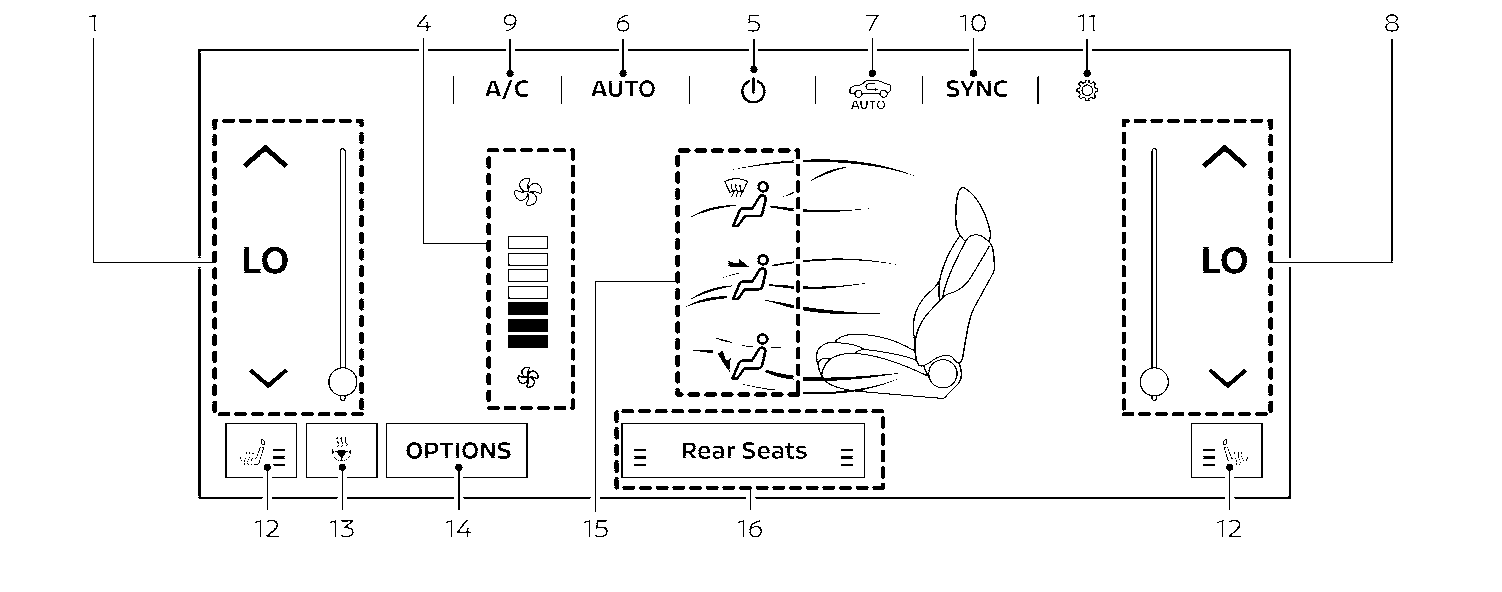
You can use either buttons on the instrument panel or keys on the climate control screen to control the automatic air conditioner.
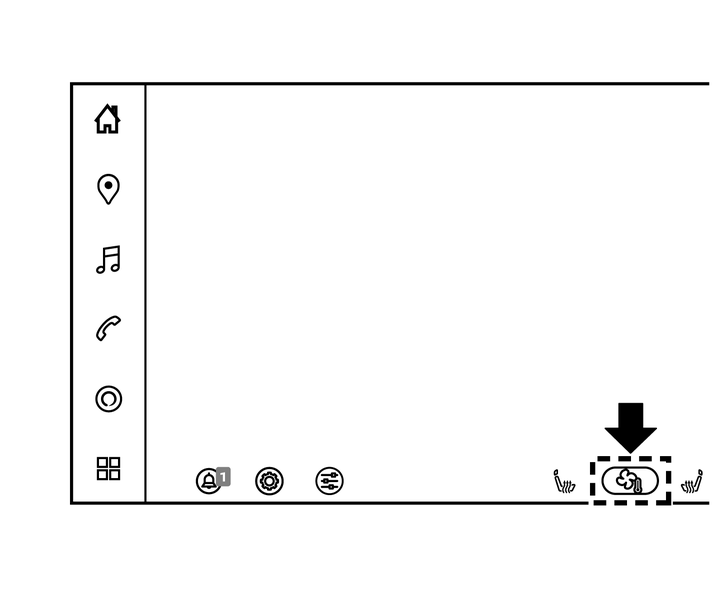
To display the climate control screen, touch the " " key on the touch screen display.
You can also control some air conditioner settings by touching " " or "
 " key (2) (where fitted) while displaying other than climate control screen.
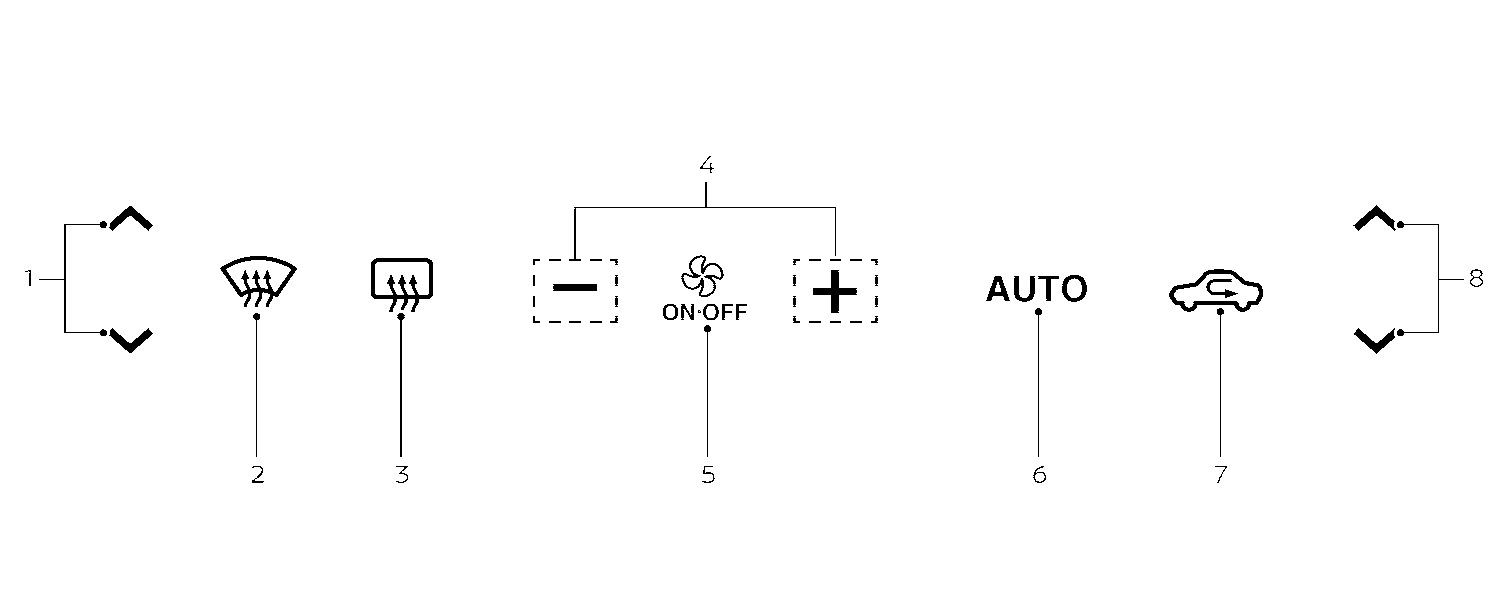
- 1.Temperature control button/temperature control key (driver's side)
- 2.
 (front defroster) button
- 3.
 (rear window defogger) button
- (See .)
- 4.Fan speed control buttons/fan speed control keys
- 5.ON·OFF button/key
- 6.<AUTO> (automatic) button/[AUTO] (automatic) key
- 7.Air intake control button/key
- 8.Temperature control button/temperature control key (passenger's side)
- 9.[A/C] (air conditioner) key
- 10.[SYNC] (synchronise) key
- 11.[
 ] Air conditioner settings key
- 12.Heated seat keys (where fitted) ( See .)
- 13.Heated steering wheel key (where fitted)
- (See .)
- 14.<OPTIONS> key (See .)
- 15.Air flow control key
- 16.[REAR] key (where fitted)
- (See .)
The button and the screen layout in the illustration are for the Left-Hand Drive (LHD) model. For the Right-Hand Drive (RHD) model, the button and the screen layout will be opposite.
Owners Manual