
Nissan ARIYA 2025 Owners Manual
6.1.2. Right-Hand Drive (RHD) model
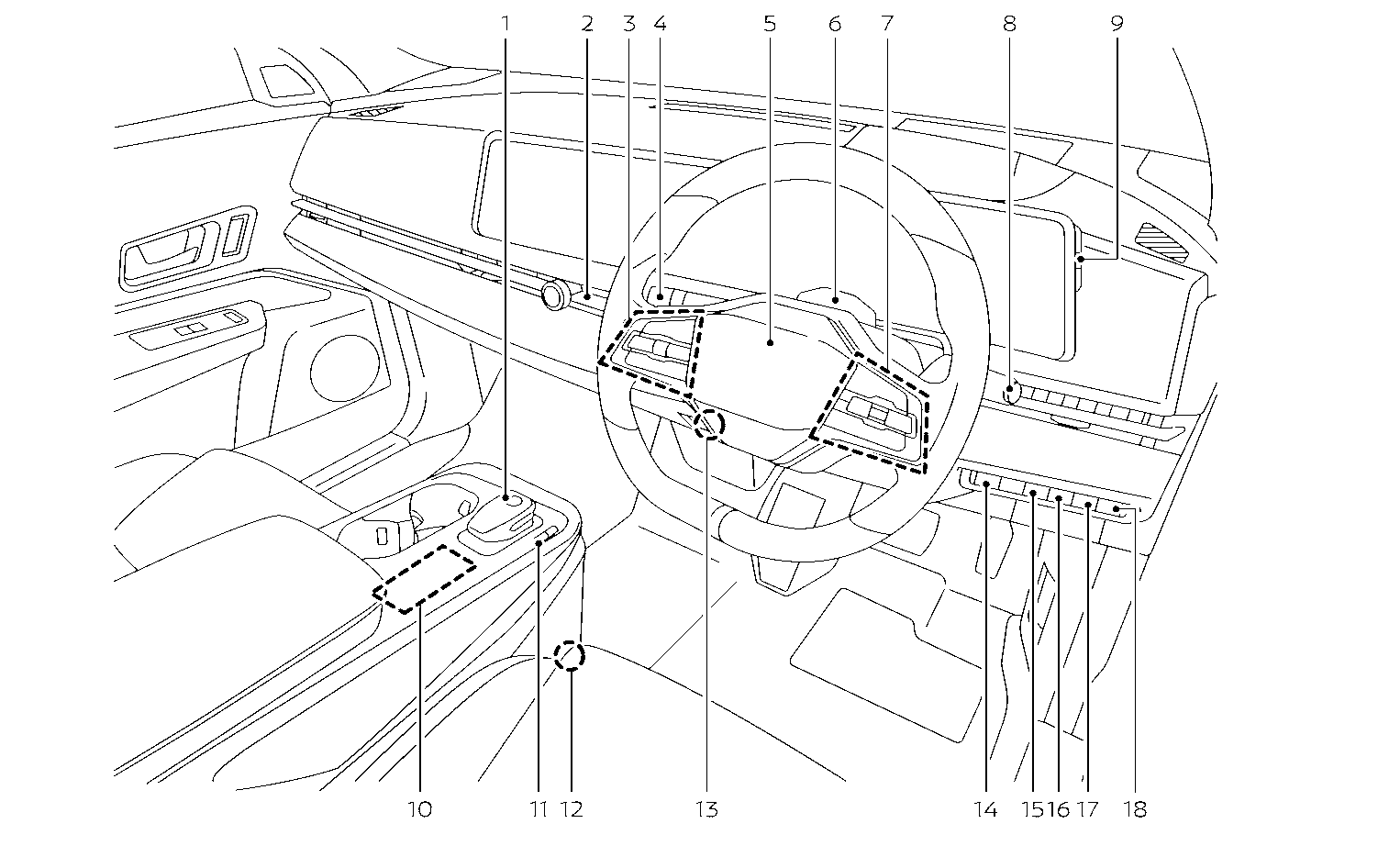
- 1.Shift lever/Park button
- 2.Hazard indicator flasher switch
- 3.Steering-wheel-mounted controls (left side)
- — Audio control**
- — Vehicle information display control
- 4.Headlight and turn signal switch/Fog light switch*
- 5.Steering wheel
- — Horn
- 6.Driver monitoring camera
- 7.Steering-wheel-mounted controls (right side)
- — Speed limiter switches
- — Intelligent Cruise Control (ICC) switches*
- — ProPILOT Assist switch*
- — Bluetooth® Hands-Free Phone System switches**
- — Voice Recognition system switch**
- 8.Wiper and washer switch
- 9.Instrument brightness control
- 10.Haptic switches
- — Drive Mode Selector
- — e-Pedal switch
- — ProPILOT Park switch*
- 11.Power sliding armrest switch*
- 12.Power outlet
- 13.Tilt and telescopic steering wheel control
- 14.Power liftgate switch*
- 15.Automatic brake hold switch
- 16.Head Up Display (HUD) switch*
- 17.Steering Assist switch* (models with ProPILOT Assist system)
- 18.Headlight aiming control switch*
- *:where fitted
- **:See the separate NissanConnect Owner's Manual.
Owners Manual