
Nissan ARIYA 2025 Owners Manual
3.8.3.1. Basic information
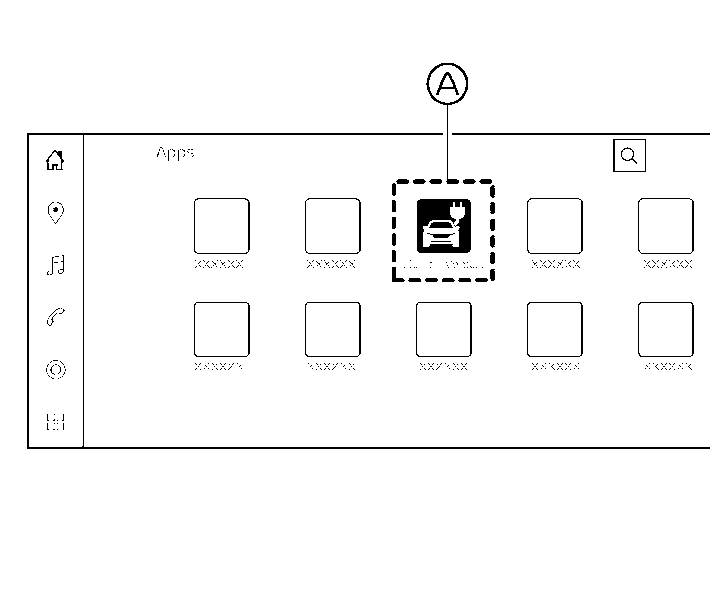
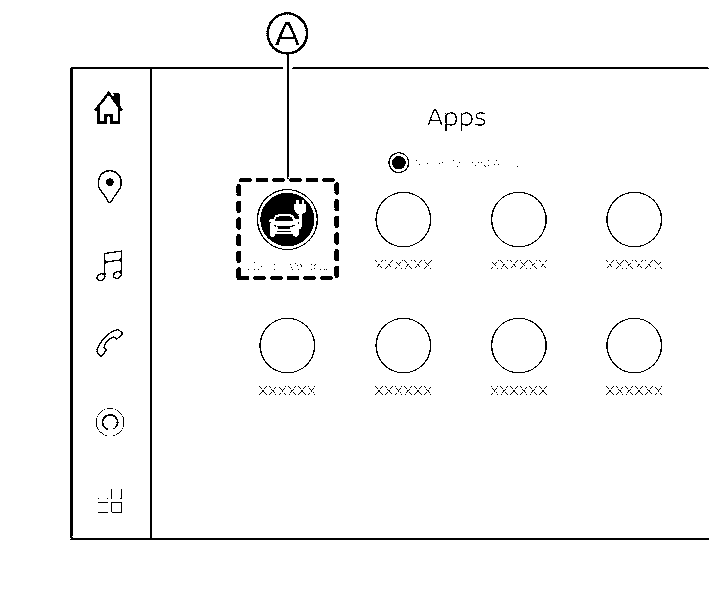
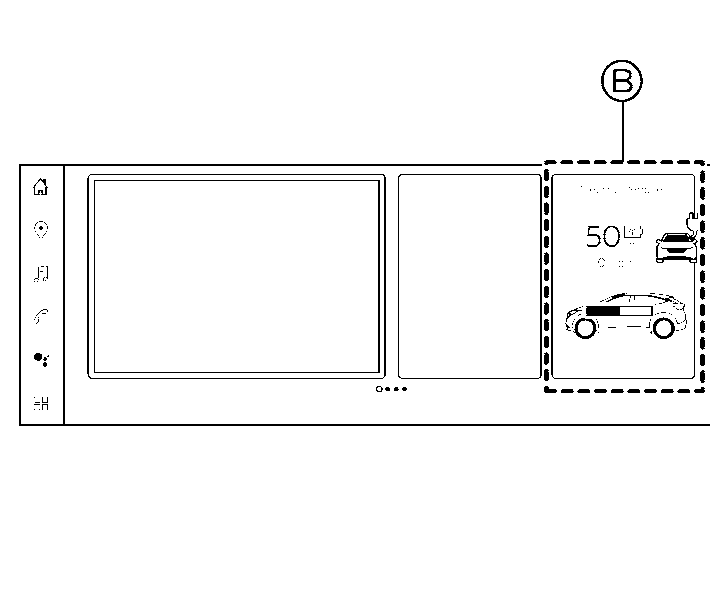
In the Electric Vehicle screen, you can easily access the EV related functions, services or informations. The Electric Vehicle screen can be displayed on the touch screen display.
How to show the Electric Vehicle screen:
Touch the "
 " key on the Launch bar.
Touch the "
 " key and then touch [Electric Vehicle] icon (A).
or,
Touch the "
" key on the Launch bar.Swipe the widgets on the screen and touch [Electric Vehicle] widget (B).
See the separate NissanConnect Owner's Manual for information on how to customise your home menu screen.
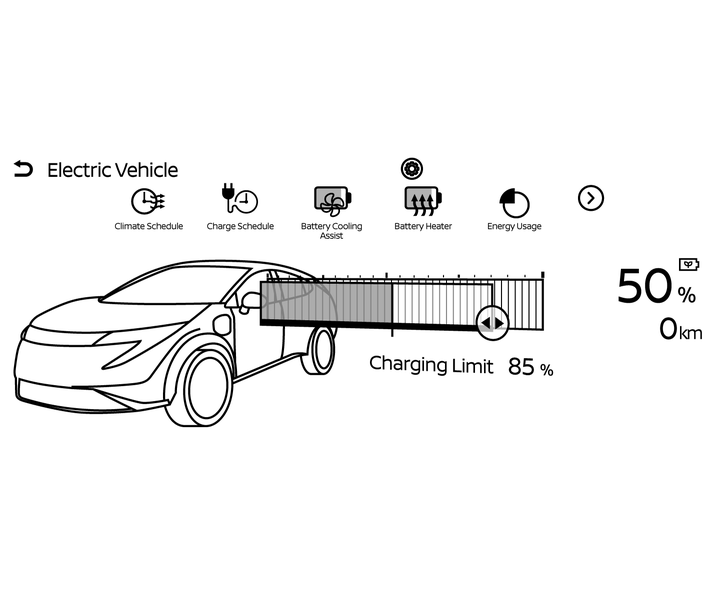
The Electric Vehicle screen allows you to use the following features:
Available items may vary depending on models, specifications, software versions and conditions.
State of charge gauge, driving range, charge remaining time (while-charging)
Charging Limit (%)
Climate schedule
Charge Schedule
Battery Cooling Assist
Battery Heater
Energy Usage
Battery Temperature Management Indicator
Charging stations
Plug-in Reminder
Amperage Limit