
Nissan ARIYA 2025 Owners Manual
4.4.3.1. Basic information
The charge schedule function can be used for the normal charge only. This function cannot be used for the quick charge/fast charge.
Use charge schedule to schedule when the Li-ion battery charges. You can save three schedule settings that include the charging start time and end time. The timer settings can be applied to each day of the week. The vehicle automatically begins charging at the scheduled times when the charge connector is connected to the vehicle. The timers do not need to be reset each time the Li—ion battery needs to be charged.
How to set charge schedule
The charge schedule settings can be changed with the touch screen display.
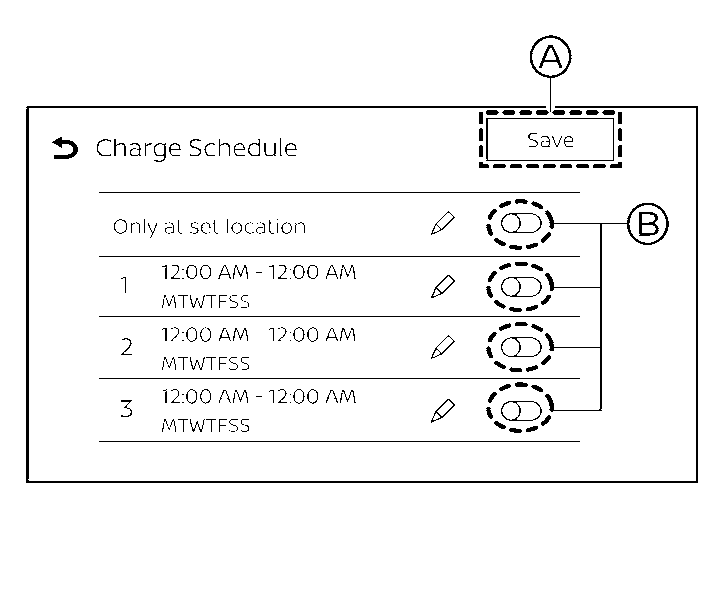
See
to display this screen.Touch [Charge Schedule] key. Charge Schedule screen is displayed.
Available actions:
Only at set location:
When this item turns on, charge schedule works only at the saved location (for example, your home).
This function is only available if a location is registered. See
.Timer settings:
Touch to (B) turn on/off the timer. The indicator light will turn on when the timer setting is turned on.
"
 " key:
Touch to display the charge schedule settings screen. Set preferred time and day of the week for vehicle charging. (See
After completing the settings, touch the [Save] key (A) , place the power switch in the OFF position, and then connect the charge connector to the vehicle.