
Nissan ARIYA 2025 Owners Manual
9.17.2. How to enable/disable the IDC system
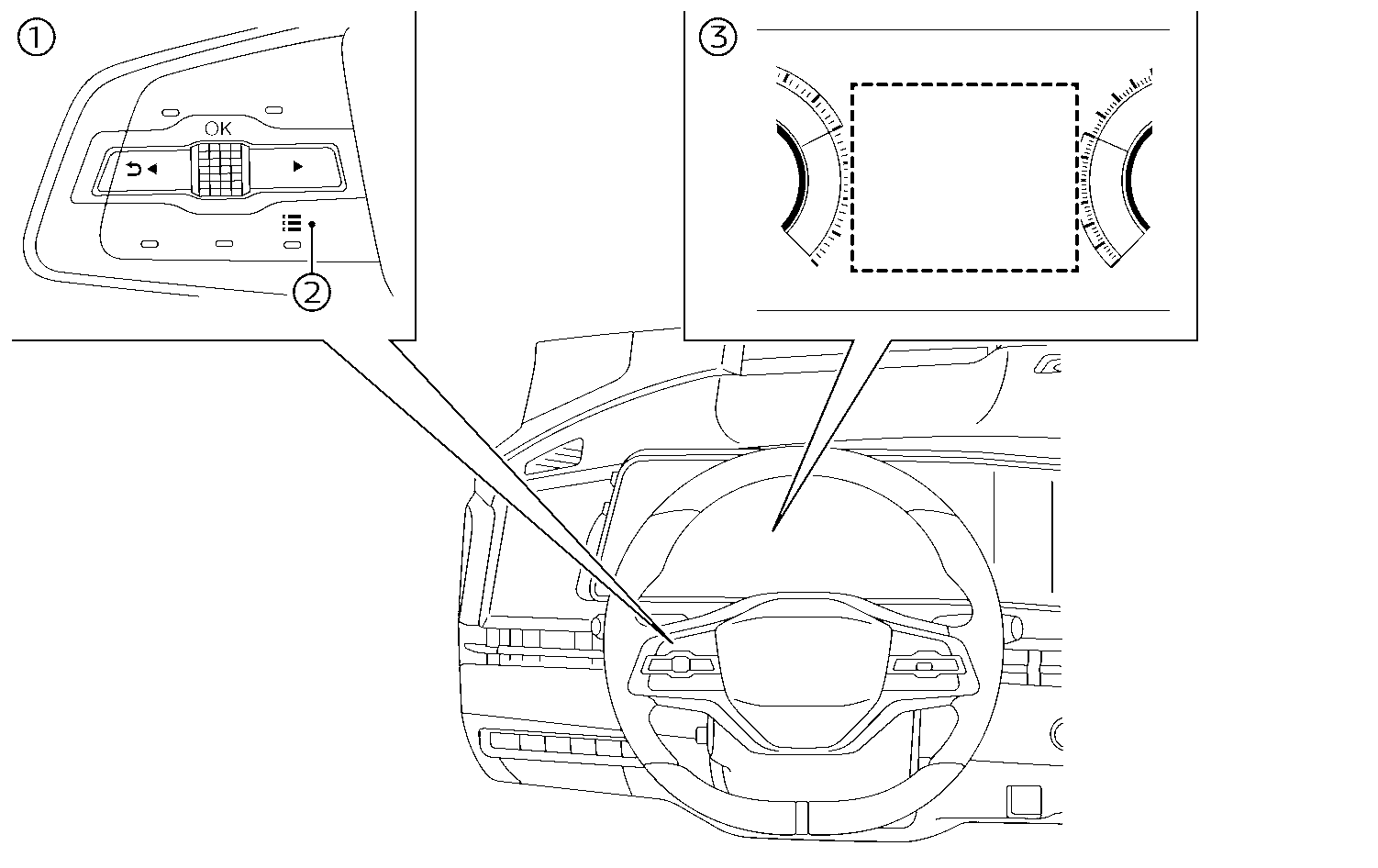
- (1)Steering-wheel-mounted controls (left side)
- (2)Shortcut menu button
- (3)Vehicle information display
Perform the following steps to turn the Intelligent Distance Control (IDC) system ON/OFF.
Shortcut menu:
Push the shortcut menu button on the steering switch to display [Shortcut Menu].
Select [Distance Control] and push the scroll dial to turn the system on or off.
Settings
Push the

 button until [Settings] appears in the vehicle information display and then push the scroll dial. Use the scroll dial to select [Driver Assistance]. Then push the scroll dial.
Select [Forward Assist] and push the scroll dial.
Select [Distance Control] and push the scroll dial to turn the system on or off.

The IDC system will retain its ON/OFF settings in the vehicle information display even if the EV system is restarted.
When the IDC system is turned ON using the vehicle information display settings, the IDC indicator illuminates in green, indicating that the system is ON.
When the ProPILOT Assist System becomes active, the IDC system turns OFF. When the ProPILOT Assist system is deactivated, the IDC system turns ON again.
If the Conventional (fixed speed) Cruise Control is ON while the IDC system is enabled, the IDC system does not operate, and the IDC status indicator turns white. For additional information, see
.The IDC system can be used even when the Speed Limiter is ON.